
Recover deleted files and lost photos in minutes.
Emptied the Recycle Bin, formatted the wrong drive or lost a camera card full of photos? Drive Restorer scans the drive without writing to it, shows you what it can bring back with a recovery chance for every file, lets you preview before you restore, and puts your files back with their original names and folders.
Everything it takes to get your files back.
Drive Restorer reads the drive without changing it, finds what was deleted or lost, tells you how likely each file is to come back whole, and restores it safely to another drive.
Recover lost files
Deleted files and the emptied Recycle Bin
The quick scan reads the drive's own records to find deleted files with their original names and folders - on NTFS, FAT12/16/32 and exFAT. Files emptied from the Recycle Bin are matched back to their original names and locations. Only need one folder? Search just that folder for what was deleted from it.
Formatted, RAW and lost partitions
Recover from a drive that was formatted by mistake, a drive Windows now calls RAW (read through its backup boot sector), or a partition that has disappeared - Find Lost Partitions searches the whole disk for it.
Deep scan by file signature
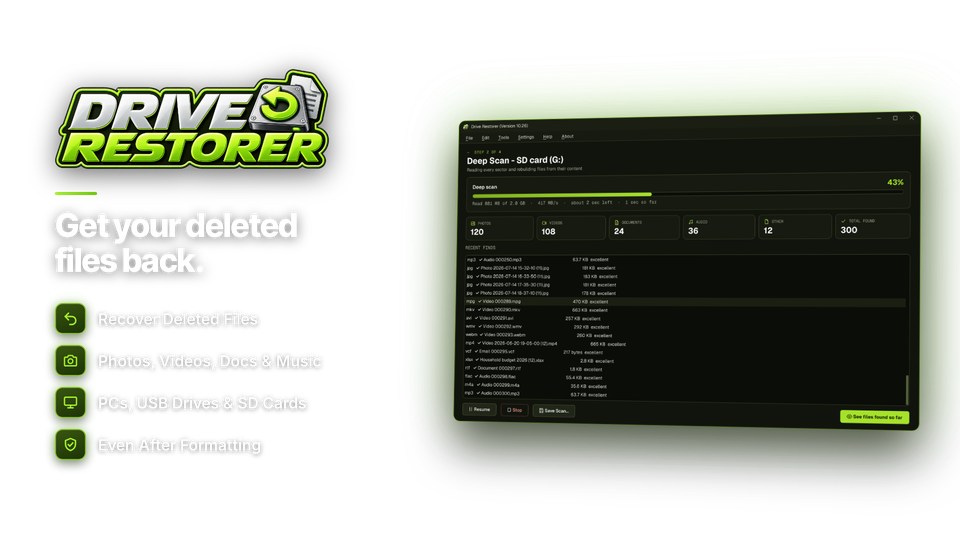
When the drive's records are gone, the deep scan finds over 120 file types by their contents - photos, camera RAW, videos, Office files, PDFs, archives and Outlook data - and names them from their own data, such as the date a photo was taken.
Phones, cameras & removable drives
SD cards, USB drives and camera cards
Every drive is listed with a clear SD, USB, SSD or HDD badge, so you pick the right one. The deep scan knows camera RAW photos from Canon, Nikon, Sony, Fujifilm, Olympus and Panasonic, as well as JPEGs and videos.
Recover from a drive image
Copy a failing drive to an image file first - unreadable areas are skipped and listed - then scan the image instead of the drive. Opens .img, .dd, .raw, .bin, .001 and fixed .vhd images.
Pause, save and resume long scans
Deep scans of big drives take time. Pause one, save it, and pick it up later from Recent Scans without starting again.
Find and restore safely
Preview with a recovery chance
See photos (including RAW), play video and audio, and read PDF pages and documents before restoring. Every file is rated Excellent, Good, Partly overwritten or Overwritten, so you know what will come back whole.
Search and filter
Thousands of results? Narrow them by name, file type, size, date and recovery chance to find the one file you need.
Read-only scanning, safe restoring
Drive Restorer never writes to the drive it is scanning, and always restores to a different drive so nothing you are trying to save gets overwritten. Restored files keep their names, folders and dates, and a recovery report is saved with them.
What happened, and how to get it back.
Find your situation, the scan to run and how good your chances are.
| What happened | Scan to use | Chances |
|---|---|---|
| Deleted with Shift+Delete or emptied from the Recycle Bin | Quick scan | very good if quick |
| Drive or card was quick-formatted | Deep scan | very good |
| Windows says the drive is RAW or needs formatting | Partition search + deep scan | good |
| A partition has disappeared | Find Lost Partitions | good |
| Photos lost from a camera card | Deep scan with camera RAW | very good |
| Files lost after a crash or virus | Quick or deep scan | varies |
| Drive is failing, clicking or very slow | Create a drive image first | limited - consider a lab |
Your files back in four steps.
Scanning and preview are free, so you see what's recoverable before you buy.
Pick the drive
Or a folder or image.
SD · exFAT
Scan
Quick first, deep if needed.
deep 1,906 found
Preview
Check the recovery chance.
chance Excellent
Restore
To a different drive.
to D:\Recovered

For anyone who just lost something important.
Lost photos, found again
Bring back pictures from a formatted camera card or a phone's SD card, RAW files included, named by the date they were taken.
That document you needed
Recover the file you deleted or the folder you emptied from the Recycle Bin, with its original name and place.
A recovery tool on every bench
Image failing drives, scan the image, and hand over the files with a recovery report.
One license. Unlimited recovery. Yours to keep.
Quick scan, deep scan, lost partitions, drive images and preview are all included, with no limit on how much you restore. No subscription. Free updates.
- Recovers fromHDD, SSD, USB, SD, images
- Restore limitnone
- Works onWindows 10 & 11
- Updatesfree
- Activations1 PC
- Deliverydownload + key by email
Checkout
You'll go straight to your download page once payment is confirmed, and we'll email your download link and license key.
Already bought? Get your download link again.
File recovery questions, answered.
Can I recover files I deleted?
Usually, yes - especially if you scan soon after deleting them. The quick scan finds deleted files with their original names and folders, and the deep scan finds files by their contents when the drive's records are gone. Stop saving to the drive until you've recovered what you need.
Can I get back files I emptied from the Recycle Bin?
Yes. Drive Restorer finds files emptied from the Recycle Bin and matches them back to their original names and locations.
Can it recover a formatted drive or SD card?
Yes. Quick-formatted drives and cards usually recover very well with the deep scan. Drives Windows calls RAW, and partitions that have disappeared, can be found with Find Lost Partitions.
Can I see my files before I pay?
Yes. Scanning and preview are free. You can view photos, play videos and read documents, and see a recovery chance for every file, before you buy. Restoring needs an installation key.
Is scanning safe for my drive?
Yes. Drive Restorer only reads the drive it is scanning and never writes to it. Recovered files are always restored to a different drive so nothing you're trying to save is overwritten.
Can it recover files from an SSD?
Sometimes. Most internal SSDs use TRIM, which can wipe deleted files within minutes, so the sooner you scan the better. USB drives and SD cards are usually not affected, and formatted or lost partitions on an SSD can often still be found.
My drive is clicking or very slow. What should I do?
Create a drive image first - Drive Restorer copies what it can, skips unreadable areas and lists them - then scan the image instead of the failing drive. If the drive is physically damaged, a professional recovery lab may be the better option.
Which Windows versions does it run on?
Windows 10 and Windows 11. It needs administrator rights to read drives directly.
Is there a limit on how much I can recover?
No. Once activated there are no size or file limits.
Is it a subscription?
No. It is a one-time payment of $29.95 with free updates.
How do I get the software after paying?
You go straight to your download page once payment is confirmed, and your download link and installation key are emailed to you. In Drive Restorer, choose Settings > Enter Installation Key and click Activate.
Your files are waiting. Bring them back.
Scan and preview for free. When you see what you need, restore it with your license.
Get Drive Restorer · $29.95